How to Fix Lag in 2XKO
Big rollbacks, teleporting fighters, stutter mid-combo? Here's how 2XKO's netcode handles your connection, and how to make it smoother.
Zero rollback frames is only half the battle. In a fighting game, a slow or shaky connection shows up as fighters teleporting, combos that drop for no reason, and a match that keeps freezing for a beat.
How 2XKO handles your connection
2XKO uses rollback netcode on servers, not peer to peer. Riot's servers run each match, keep both players' clocks in sync and share the work of rollbacks between them. Every match has a fixed 3 frames of input delay, online and offline, to keep rollbacks short.
Rollback hides small delays well. When your inputs arrive late, the game predicts what happened, then quietly corrects it. The longer the delay, the bigger the correction:
- Higher ping means longer rollbacks. At 60 frames per second each frame lasts about 17 ms, so every extra 17 ms of delay is roughly one more frame the game has to rewrite.
- Packet loss causes the worst of it: big rollbacks where fighters teleport, and sudden lag spikes.
- A struggling PC stutters on its own. Riot names PCs just below the minimum specs as one cause of stutter and rollbacks.
Fix your connection first
These follow Riot's own troubleshooting advice for 2XKO:
- Play wired. Wi-Fi is the most common cause of lag spikes and packet loss.
- Turn off any VPN or proxy. Each one adds an extra stop.
- Update your network drivers, and restart your router.
- Check your Riot account's region. It should match the region you actually play in. A mismatch puts you on a far-away server.
- Stop the uploads on other devices while you play. Our buffer bloat explainer shows why they hurt.
You can't choose a 2XKO server
2XKO has no server picker. Matchmaking uses your account's region, and Riot's servers carry your match over its own network, Riot Direct. The part you can still change is how your traffic reaches Riot.
- Your PCYour internet provider carries you to the first stop
- Arrive server If you use ArriveTakes the quickest path it knows from here
- Riot’s networkWhere your traffic joins Riot’s own backbone
- 2XKO serverRuns the match for both players
Fix the route with Arrive
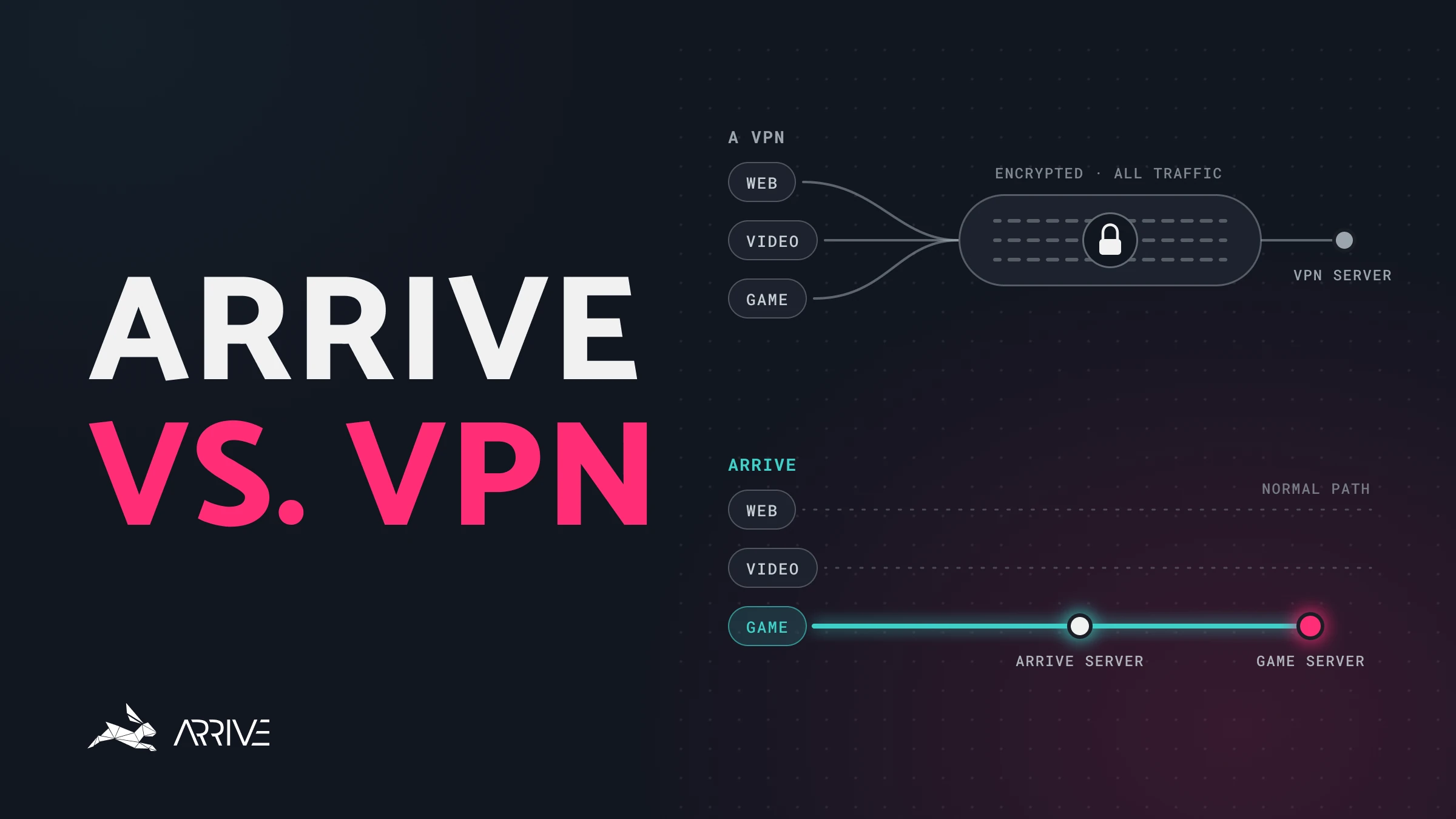
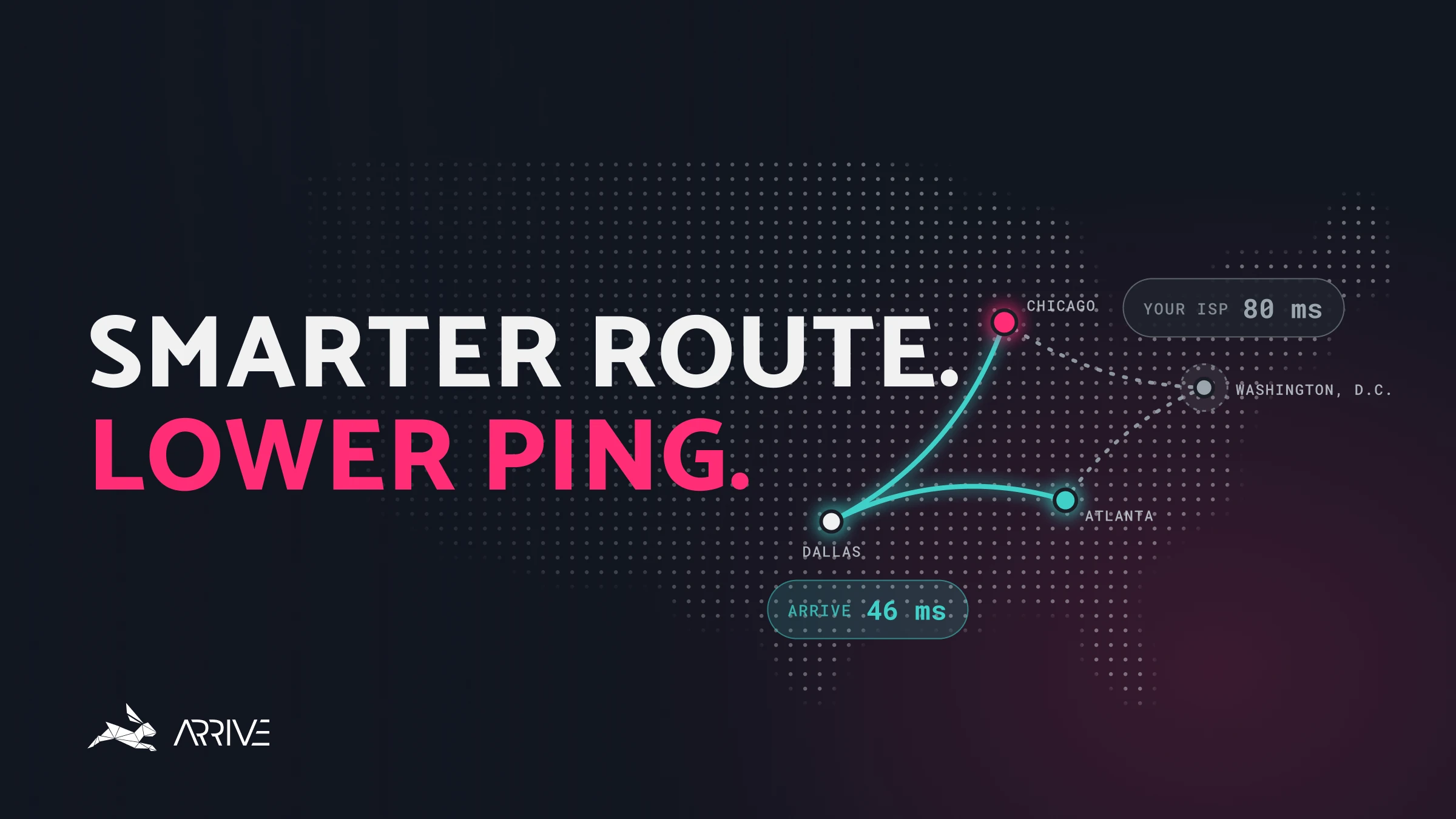
If you're wired in and still seeing big rollbacks, the slow part may be the route between your internet provider and Riot's network. Arrive is a free Windows app that sends your 2XKO traffic through our own network of datacenters to reach Riot on a quicker, steadier path. It isn't a VPN, and it currently covers North America and Europe (in alpha).
- Install Arrive and select 2XKO.
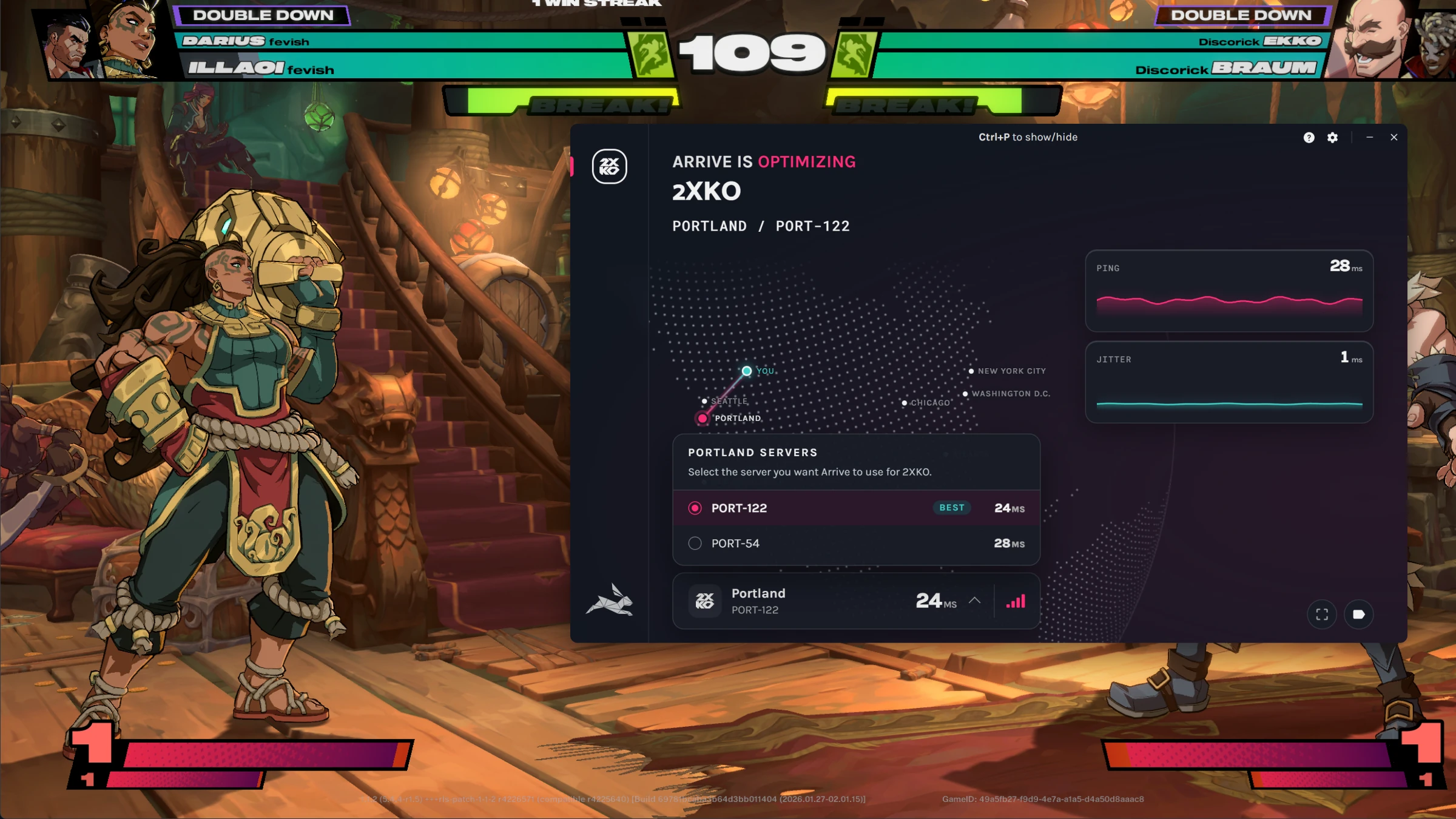
- Switch on Enable 2XKO and pick an Arrive server close to you.
- Turn Arrive ON and launch 2XKO.
- Since you can't pick a server in 2XKO, try two or three Arrive servers near you, a few matches each, and keep the one that plays smoothest.
For 2XKO, Arrive's overlay (Ctrl+P) shows your ping to the Arrive server, so the game's own number will be a few milliseconds higher. Here's why. Arrive won't help every connection: if your provider's route to Riot is already good, you won't see a change.
2XKO lag FAQ
Is 2XKO still playable online?
Yes. Riot is ending active development in December 2026, but has said the servers stay online beyond 2026 on PC and consoles. Ranked was removed in September, and casual matchmaking remains.
What is a good ping for 2XKO?
Riot doesn't publish one. Lower is always better for rollback, and steadiness matters as much: a steady ping with no packet loss plays smoother than a lower one that spikes.
Why do fighters teleport in my 2XKO matches?
That's a big rollback. The game received inputs late, usually from packet loss or a ping spike, and had to rewrite several frames at once. Start with a wired connection and stop any uploads on your network.
Can I change my 2XKO server?
Not in the game. Matchmaking follows your Riot account's region, so make sure it matches where you play. Arrive can change the route your traffic takes to get there.
Still lagging?
Tell us about it in the Arrive Discord. We also have guides for the other games Arrive supports.